Reports
The purpose of a report in Church Windows Accounting is to inform your church of how the posted transactions and entered budget amounts affect the Chart of Accounts kept track of in the software. By ensuring the accuracy of the information you enter in the software, you can then generate reports that the reader(s) can use to make financial suggestions and recommendations that they might want to apply towards the church.

Use the Reports/Export menu to print and export your report information for different categories of reports:
Financial Reports
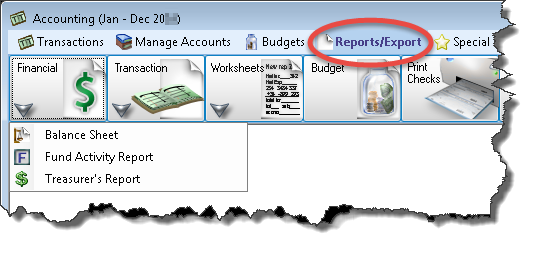
The available Financial reports are the Balance Sheet, Fund Activity Report, and Treasurer's Report.
Transaction Reports
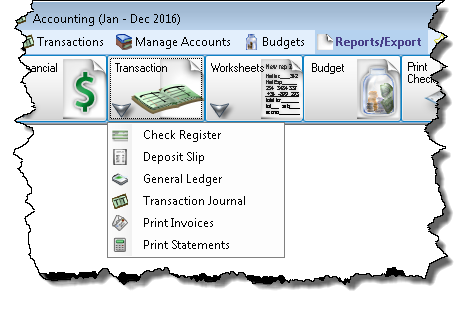
Accounting Transaction Reports include: Check Register, Deposit Slip, General Ledger, Transaction Journal, Accounts Receivable Invoices, and Accounts Receivable Statements
Worksheets

The available Accounting Worksheet reports are as follows: Accounts Payable Report, List Chart of Accounts, Summary of Cash Activity, Trial Balance, and Accounts Receivable Report
Tax Forms
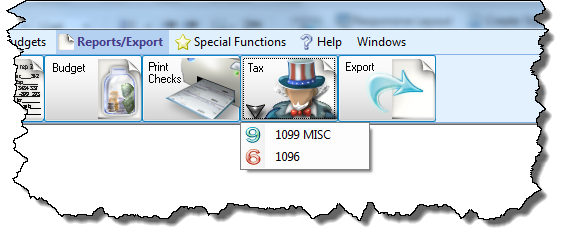
After you have made a payment to Accounts Payable Vendors / Payees, you can send to them the Form 1099-MISC, 1099-NEC and Form 1096 used to acknowledge that the Vendor / Payee is receiving money from your church.
These forms can be accessed and printed by clicking the Tax button under the Reports/Export menu, and choosing the desired form: